Website Navigation Best Practices
A website’s navigation is more than just a menu at the top of your page — it’s the backbone of user experience and a critical factor in SEO. Poor navigation can frustrate visitors, increase bounce rates, and reduce your chances of ranking well on Google. On the other hand, a well-structured website navigation guides users seamlessly through your content and signals search engines that your site is organised and trustworthy.
In this guide, we’ll explore the best practices for website navigation, how menu design affects both user journeys and SEO, and practical tips to optimise your site in 2026.
Why Website Navigation Matters
Navigation is one of the first things visitors notice when they land on your website. It directly affects:
- User experience (UX): Easy-to-find information keeps visitors engaged and reduces frustration.
- Conversions: Clear paths to products, services, or contact forms increase the likelihood of conversions.
- SEO: A well-structured menu helps search engines crawl and index your pages effectively.
A disorganised or confusing menu can lead to lost customers, lower search rankings, and a poor brand impression.
Key Principles of Effective Website Navigation
1. Keep It Simple and Intuitive
Visitors should instantly understand how to move through your website. Avoid overcomplicating menus with too many options.
Tips:
- Limit top-level menu items to 5–7 options.
- Group related pages logically.
- Use familiar labels like “About Us,” “Services,” “Blog,” or “Contact.”
2. Prioritise Your Most Important Pages
Your website’s primary goals should dictate menu hierarchy. Pages that generate leads or showcase products/services should be prominent.
Example: For a Johannesburg web development business:
- Home
- Services
- Portfolio
- Blog
- Contact
This ensures users can quickly access your most valuable content.
3. Use a Clear Hierarchy and Dropdowns Wisely
Submenus and dropdowns help organise content without overwhelming users, but they must remain intuitive.
Best practices:
- Keep dropdowns short (2–5 items).
- Use clear headings for categories.
- Avoid multi-level dropdowns that require multiple clicks.
4. Make Your Navigation Mobile-Friendly
With mobile traffic surpassing desktop, responsive navigation is essential. Hamburger menus, collapsible sections, and touch-friendly buttons ensure mobile users can navigate easily.
Tips:
- Ensure clickable elements are large enough to tap.
- Avoid hidden menus for critical pages.
- Test across multiple devices and screen sizes.
5. Internal Linking Supports SEO
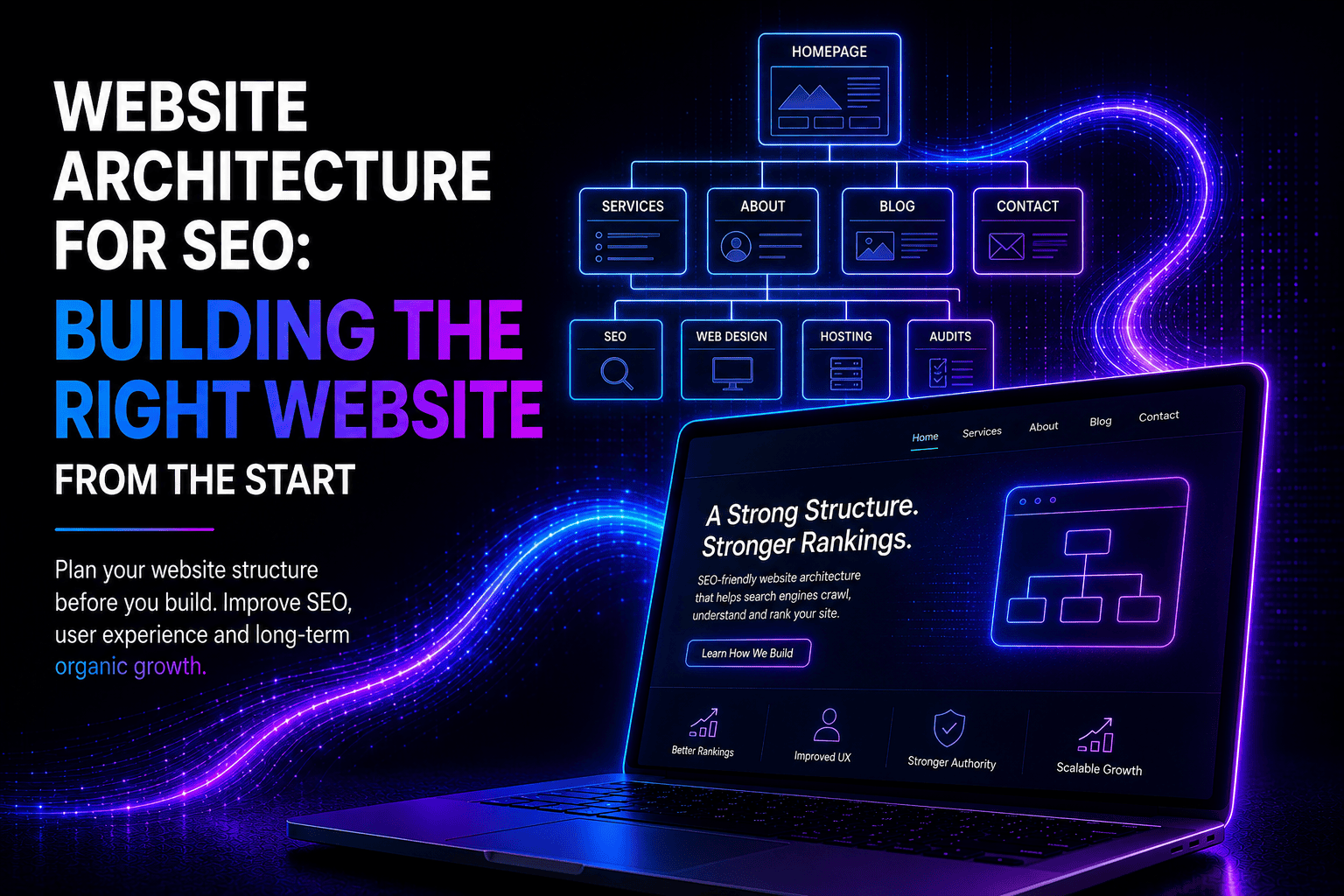
Navigation menus are a key part of internal linking. Search engines follow these links to understand your website’s structure and content hierarchy.
SEO tips:
- Use descriptive anchor text in menus.
- Include links to main categories and important subpages.
- Avoid orphan pages that aren’t linked from anywhere.
6. Sticky or Fixed Navigation
Sticky navigation bars remain visible as users scroll, improving access to important pages and reducing the risk of lost visitors.
Tip: Use sparingly on mobile to avoid taking up too much screen space.
7. Include a Search Function (If Needed)
For larger websites, a search bar helps users find specific content quickly. It also improves SEO by highlighting high-demand queries.
Tip: Track what users search for to identify content gaps or new pages to add.
8. Breadcrumbs for Multi-Level Sites
Breadcrumbs show users their location within your site hierarchy and improve SEO by creating additional internal links.
Example:Home > Services > Web Development > SEO Services
Breadcrumbs help users navigate back to broader categories easily.
Common Navigation Mistakes to Avoid
- Overloading menus with too many items
- Using vague labels like “Stuff” or “Info”
- Hiding important pages in multiple submenus
- Ignoring mobile and tablet users
- Failing to update menus when new content is added
Best Practices Checklist
- Simple, intuitive menu with 5–7 top-level items
- Clear hierarchy with short dropdowns
- Mobile-responsive and touch-friendly
- Internal linking supports SEO
- Sticky navigation for long pages
- Optional search bar for large sites
- Breadcrumbs for multi-level pages
How Web Anatomy Can Help
At Web Anatomy, we build websites that are not only visually appealing but also SEO-optimised and user-friendly. We ensure that:
- Your navigation is intuitive and responsive
- Menus are structured to enhance SEO and crawlability
- Users can easily find key pages and convert into customers
Let us design a website where your visitors and search engines can navigate effortlessly.
FAQ – Website Navigation
Q: How many menu items are ideal for a website?
A: 5–7 top-level items are optimal, with 2–5 submenu items if needed.
Q: Does navigation really affect SEO?
A: Yes. Clear menus help search engines crawl your site and understand your page hierarchy, improving rankings.
Q: Should all pages be linked in the menu?
A: No. Only high-priority pages should be in the main menu. Secondary pages can be linked via internal links, breadcrumbs, or footer menus.
Q: What’s the best menu style for mobile users?
A: Hamburger or collapsible menus that are touch-friendly and responsive work best, with critical pages easily accessible.
Q: Can Web Anatomy redesign my menu to improve SEO and UX?
A: Absolutely. We specialise in creating intuitive, SEO-friendly navigation that improves both user experience and search performance.