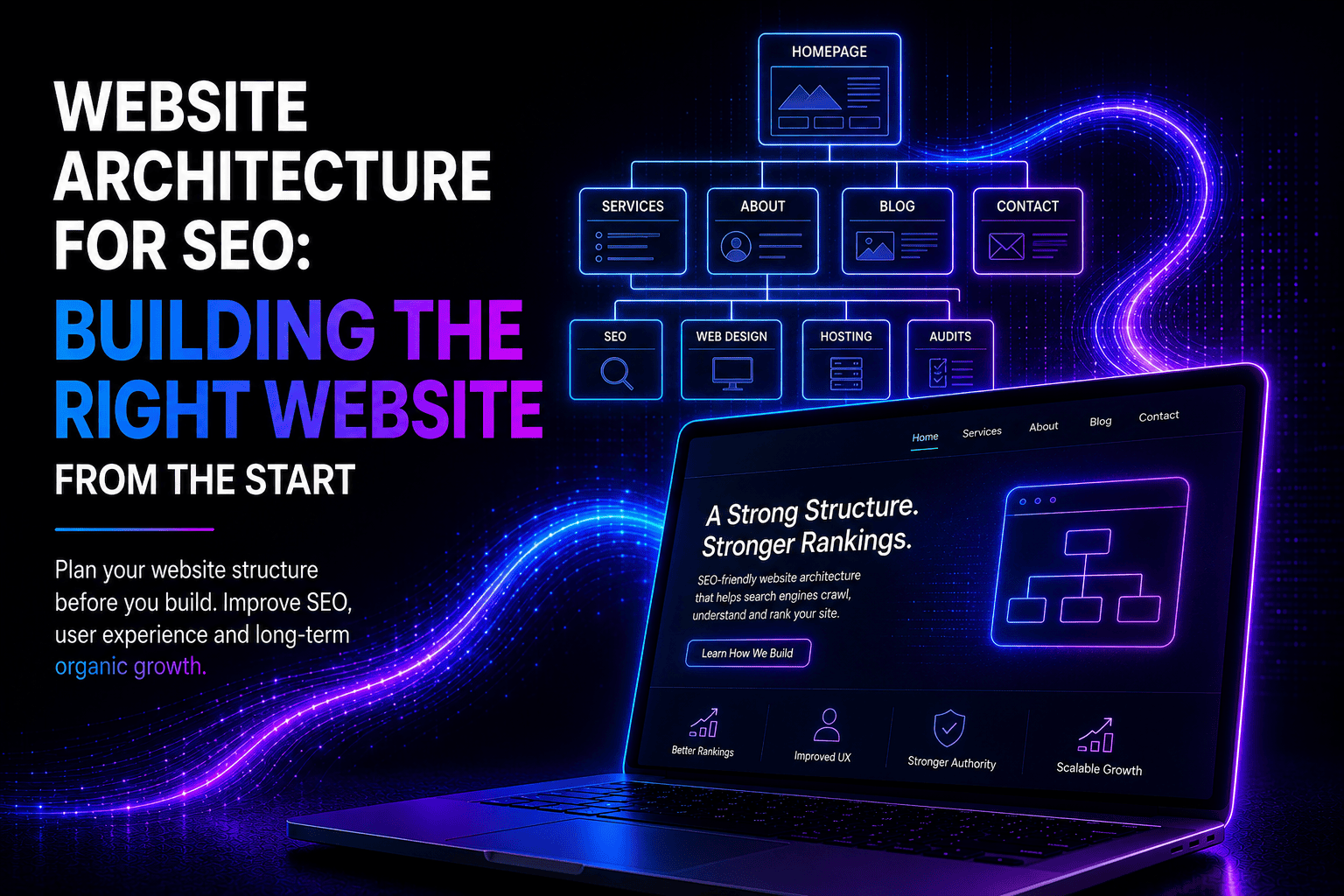
Building a WordPress website remains one of the most effective ways for businesses, professionals, and organisations to establish a strong digital presence. In 2026, WordPress continues to power a significant portion of the world’s websites because of its flexibility, scalability, and long-term value.
Whether you are launching a new business, rebuilding an outdated site, or expanding your online reach, understanding how a WordPress website is built — and why professional execution matters — is essential.
Why Choose WordPress?
WordPress is a content management system that allows websites to be created, managed, and updated without needing advanced technical knowledge. It is used by small businesses, large enterprises, publishers, and eCommerce brands alike.
Key reasons WordPress remains the platform of choice include:
- Flexibility for any industry or business size
- Full ownership of your website and content
- Strong SEO foundations
- Scalability as your business grows
- Thousands of themes and plugins for customisation
A properly built WordPress website can evolve over time without requiring a complete rebuild.
Planning Your WordPress Website
A successful WordPress website starts with planning. Before any design or development begins, clarity is needed around goals and structure.
Important planning considerations include:
- The purpose of the website (leads, sales, information, bookings)
- Target audience and user behaviour
- Required pages and content structure
- Branding, tone, and visual identity
- Short- and long-term growth goals
Without proper planning, websites often become cluttered, slow, or difficult to scale.
Choosing the Right Hosting Environment
Hosting plays a critical role in website speed, security, and reliability. A WordPress website is only as strong as the server it runs on.
Quality hosting should offer:
- WordPress-optimised performance
- Strong security features
- Daily backups
- Reliable uptime
- Scalable resources
Poor hosting is one of the most common causes of slow websites, crashes, and security breaches.
Design and User Experience
Design is not just about appearance — it directly impacts usability, trust, and conversion rates.
A professionally designed WordPress website focuses on:
- Clean, intuitive navigation
- Mobile-first responsiveness
- Fast loading times
- Clear calls to action
- Accessibility and readability
Modern users expect websites to load quickly and work seamlessly across all devices. A well-designed site builds credibility and keeps visitors engaged.
Custom Theme vs Pre-Built Theme
WordPress allows for both custom-built themes and pre-built premium themes.
Pre-built themes can be suitable for smaller projects but often include unnecessary features that slow websites down.
Custom WordPress themes offer:
- Faster performance
- Cleaner code
- Design aligned with your brand
- Better long-term scalability
- Fewer compatibility issues
Choosing the right approach depends on budget, goals, and long-term strategy.
Core Pages Every WordPress Website Needs
While every website is unique, most WordPress websites benefit from a strong core structure:
- Home page
- About page
- Services or products page
- Contact page
- Privacy and legal pages
Additional pages such as blogs, FAQs, portfolios, or booking pages can be added based on business needs.
Clear structure improves user experience and search engine visibility.
WordPress Plugins: Power With Purpose
Plugins extend WordPress functionality, but more is not always better. One of the most common mistakes is installing too many plugins.
Essential plugin categories include:
- Security
- Performance and caching
- SEO
- Backups
- Forms and lead capture
Plugins should be carefully selected, regularly updated, and reviewed for compatibility.
SEO Foundations Built Into WordPress
WordPress is naturally SEO-friendly, but only when configured correctly.
A properly built WordPress website includes:
- Clean URL structures
- Optimised page titles and meta descriptions
- Fast loading speeds
- Mobile responsiveness
- Structured content with headings
SEO should be considered from the start, not added as an afterthought.
Security and Protection
WordPress websites are secure when maintained properly. Most security issues arise from neglect, outdated software, or poor hosting.
Essential security practices include:
- Regular updates
- Secure login systems
- Malware scanning
- Firewall protection
- Automated backups
Security is not optional — it is a core part of professional website development.
Content Management and Ease of Use
One of WordPress’s greatest strengths is ease of content management. Once built correctly, site owners can update content without technical assistance.
This includes:
- Adding blog posts
- Updating images
- Editing page text
- Managing forms and enquiries
A well-built backend saves time and reduces reliance on developers for basic updates.
Testing Before Launch
Before a WordPress website goes live, thorough testing is essential.
Testing should include:
- Mobile and tablet responsiveness
- Browser compatibility
- Page speed performance
- Contact form functionality
- Security checks
Skipping testing often results in avoidable problems after launch.
Ongoing Maintenance and Growth
Building a WordPress website is not a once-off task. Ongoing maintenance ensures the site remains secure, fast, and functional.
Maintenance typically includes:
- Software updates
- Performance optimisation
- Security monitoring
- Backup management
- Minor content and layout adjustments
Regular maintenance prevents costly repairs and downtime.
When Professional WordPress Development Matters
While WordPress is user-friendly, professional development makes a significant difference in performance, security, and long-term value.
Professional WordPress builds offer:
- Clean, optimised code
- Strong SEO foundations
- Better conversion-focused design
- Reduced technical issues
- Scalability for future growth
A poorly built website often costs more to fix than to build correctly from the start.
Building a WordPress Website That Works for Your Business
A WordPress website should be more than just an online presence. It should support your business goals, attract the right audience, and perform reliably every day.
When planned, built, and maintained correctly, WordPress becomes a powerful digital asset — not just a website, but a business tool that grows with you.
Build a WordPress Website: A Complete Overview for Modern Businesses
Building a WordPress website remains one of the most effective ways for businesses, professionals, and organisations to establish a strong digital presence. In 2026, WordPress continues to power a significant portion of the world’s websites because of its flexibility, scalability, and long-term value.
Whether you are launching a new business, rebuilding an outdated site, or expanding your online reach, understanding how a WordPress website is built — and why professional execution matters — is essential.
Why Choose WordPress?
WordPress is a content management system that allows websites to be created, managed, and updated without needing advanced technical knowledge. It is used by small businesses, large enterprises, publishers, and eCommerce brands alike.
Key reasons WordPress remains the platform of choice include:
- Flexibility for any industry or business size
- Full ownership of your website and content
- Strong SEO foundations
- Scalability as your business grows
- Thousands of themes and plugins for customisation
A properly built WordPress website can evolve over time without requiring a complete rebuild.
Planning Your WordPress Website
A successful WordPress website starts with planning. Before any design or development begins, clarity is needed around goals and structure.
Important planning considerations include:
- The purpose of the website (leads, sales, information, bookings)
- Target audience and user behaviour
- Required pages and content structure
- Branding, tone, and visual identity
- Short- and long-term growth goals
Without proper planning, websites often become cluttered, slow, or difficult to scale.
Choosing the Right Hosting Environment
Hosting plays a critical role in website speed, security, and reliability. A WordPress website is only as strong as the server it runs on.
Quality hosting should offer:
- WordPress-optimised performance
- Strong security features
- Daily backups
- Reliable uptime
- Scalable resources
Poor hosting is one of the most common causes of slow websites, crashes, and security breaches.
Design and User Experience
Design is not just about appearance — it directly impacts usability, trust, and conversion rates.
A professionally designed WordPress website focuses on:
- Clean, intuitive navigation
- Mobile-first responsiveness
- Fast loading times
- Clear calls to action
- Accessibility and readability
Modern users expect websites to load quickly and work seamlessly across all devices. A well-designed site builds credibility and keeps visitors engaged.
Custom Theme vs Pre-Built Theme
WordPress allows for both custom-built themes and pre-built premium themes.
Pre-built themes can be suitable for smaller projects but often include unnecessary features that slow websites down.
Custom WordPress themes offer:
- Faster performance
- Cleaner code
- Design aligned with your brand
- Better long-term scalability
- Fewer compatibility issues
Choosing the right approach depends on budget, goals, and long-term strategy.
Core Pages Every WordPress Website Needs
While every website is unique, most WordPress websites benefit from a strong core structure:
- Home page
- About page
- Services or products page
- Contact page
- Privacy and legal pages
Additional pages such as blogs, FAQs, portfolios, or booking pages can be added based on business needs.
Clear structure improves user experience and search engine visibility.
WordPress Plugins: Power With Purpose
Plugins extend WordPress functionality, but more is not always better. One of the most common mistakes is installing too many plugins.
Essential plugin categories include:
- Security
- Performance and caching
- SEO
- Backups
- Forms and lead capture
Plugins should be carefully selected, regularly updated, and reviewed for compatibility.
SEO Foundations Built Into WordPress
WordPress is naturally SEO-friendly, but only when configured correctly.
A properly built WordPress website includes:
- Clean URL structures
- Optimised page titles and meta descriptions
- Fast loading speeds
- Mobile responsiveness
- Structured content with headings
SEO should be considered from the start, not added as an afterthought.
Security and Protection
WordPress websites are secure when maintained properly. Most security issues arise from neglect, outdated software, or poor hosting.
Essential security practices include:
- Regular updates
- Secure login systems
- Malware scanning
- Firewall protection
- Automated backups
Security is not optional — it is a core part of professional website development.
Content Management and Ease of Use
One of WordPress’s greatest strengths is ease of content management. Once built correctly, site owners can update content without technical assistance.
This includes:
- Adding blog posts
- Updating images
- Editing page text
- Managing forms and enquiries
A well-built backend saves time and reduces reliance on developers for basic updates.
Testing Before Launch
Before a WordPress website goes live, thorough testing is essential.
Testing should include:
- Mobile and tablet responsiveness
- Browser compatibility
- Page speed performance
- Contact form functionality
- Security checks
Skipping testing often results in avoidable problems after launch.
Ongoing Maintenance and Growth
Building a WordPress website is not a once-off task. Ongoing maintenance ensures the site remains secure, fast, and functional.
Maintenance typically includes:
- Software updates
- Performance optimisation
- Security monitoring
- Backup management
- Minor content and layout adjustments
Regular maintenance prevents costly repairs and downtime.
When Professional WordPress Development Matters
While WordPress is user-friendly, professional development makes a significant difference in performance, security, and long-term value.
Professional WordPress builds offer:
- Clean, optimised code
- Strong SEO foundations
- Better conversion-focused design
- Reduced technical issues
- Scalability for future growth
A poorly built website often costs more to fix than to build correctly from the start.
Building a WordPress Website That Works for Your Business
A WordPress website should be more than just an online presence. It should support your business goals, attract the right audience, and perform reliably every day.
When planned, built, and maintained correctly, WordPress becomes a powerful digital asset — not just a website, but a business tool that grows with you.